I run a team
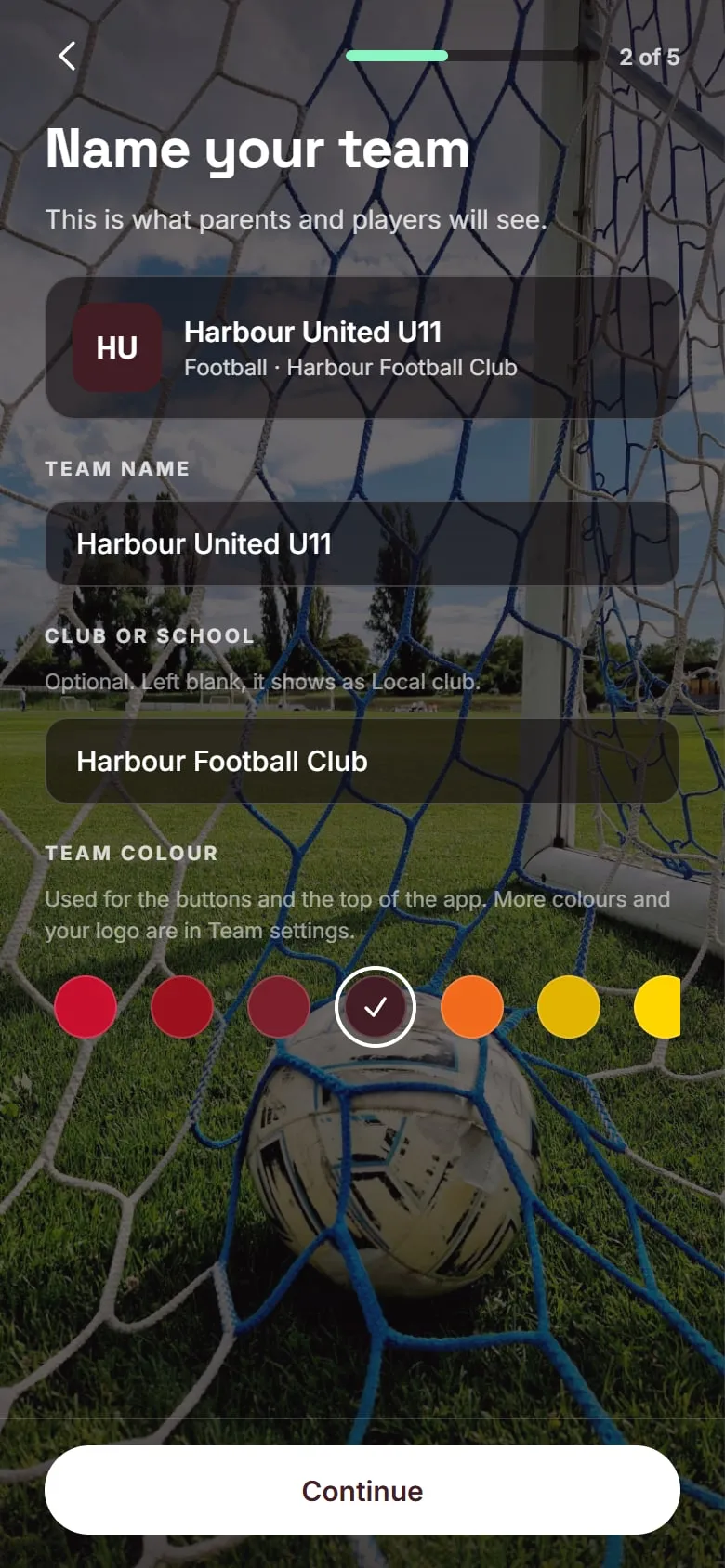
Set up your team, add the season, invite the parents. Game day runs from your phone.

Scan with your phone camera
It opens the App Store or Google Play, whichever your phone uses.


Free to download today
iPhone and Android · No ads in the app
The team app for junior sport. Fixtures, who is coming, game day and results, run by the parent on the sideline.
Scan with your phone camera
It opens the App Store or Google Play, whichever your phone uses.
On Android?
On iPhone?
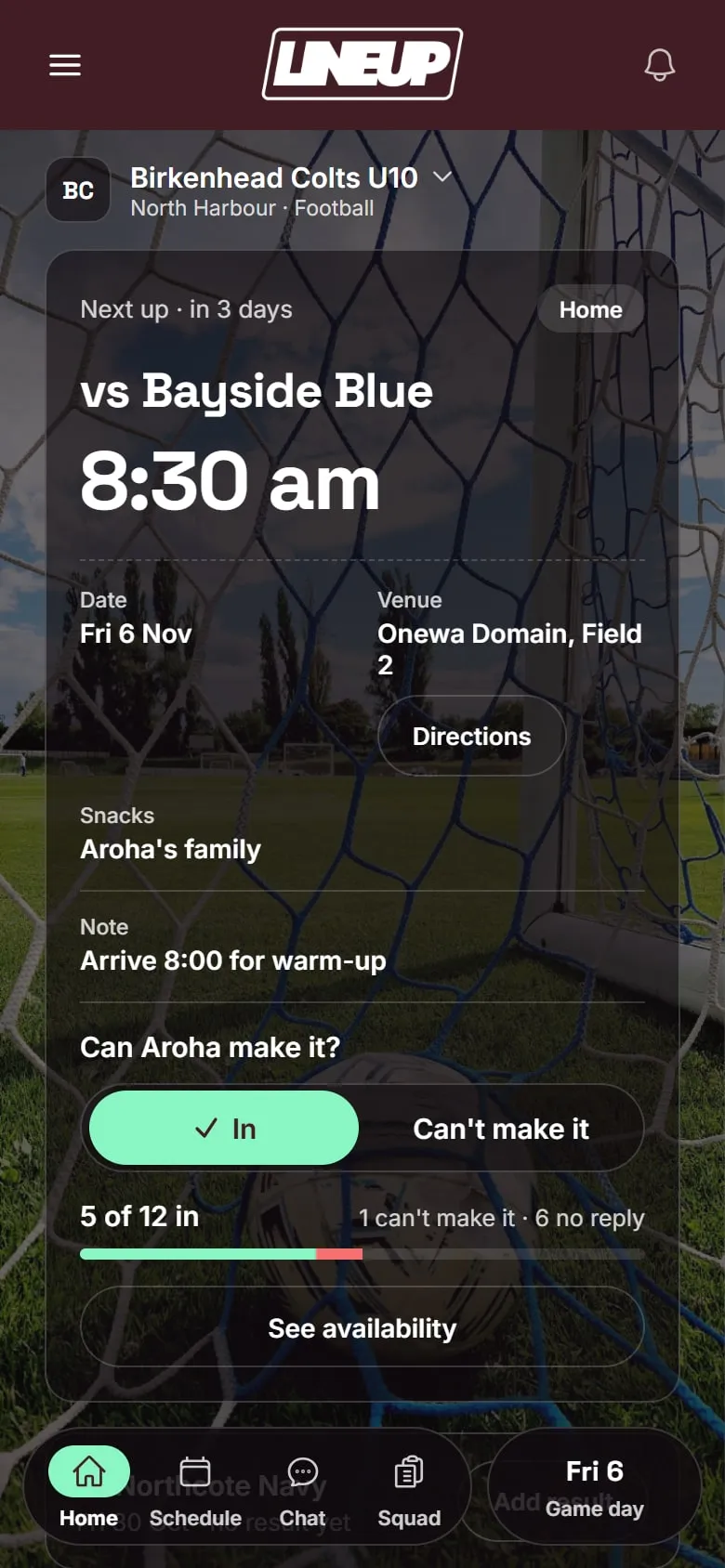
Managers set the team up. Parents join it. Both start with the same download.
Set up your team, add the season, invite the parents. Game day runs from your phone.
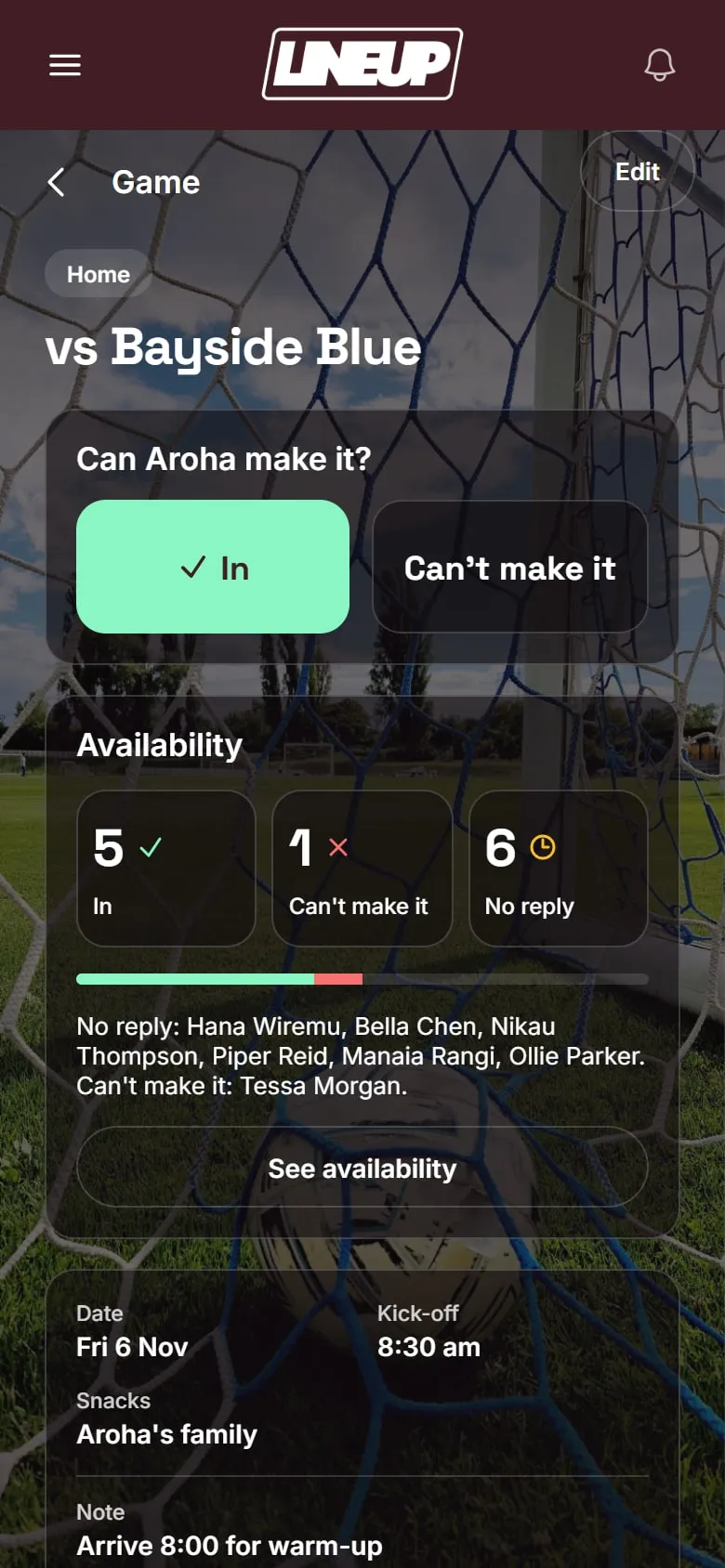
Got an invite? Download LineUp and join your team, then reply In or Can’t make it for each game.
Free to download today · iPhone and Android · No ads in the app

From the App Store or Google Play. Adults hold the accounts, kids don’t need one.
Managers add the team and the season. Parents join from the invite their manager sends.
Tap In or Can’t make it, and your manager sees who is coming.
Free to download today
iPhone and Android · No ads in the app