
Best app for managing a junior cricket team in NZ and Australia
Junior cricket in NZ and Australia runs on PlayHQ. Where PlayCricket, Cricket Central, Stack Team App and Sporty fit, and what LineUp adds for the team.

For a junior cricket team, the best app has to do two different jobs: get eleven families to a ground by 8:30 on Saturday, and then score every ball for three hours without a paper book. In New Zealand and Australia the official side of that is already decided: both countries run club and junior cricket on PlayHQ, and families follow it in PlayCricket in Australia or Cricket Central in New Zealand. What is left to choose is how the team runs its own week and keeps its own book. LineUp, built for junior sport in both countries, does that: the schedule, the replies, a ball-by-ball scorebook that writes the scorecard for you, and a season of runs and wickets. Here is how it sits alongside the apps NZ and Australian cricket families actually use: PlayHQ, PlayCricket, Cricket Central, Stack Team App and Sporty.
What do junior cricket managers actually need?
Cricket asks more of a volunteer than any other junior sport. A game is long, the team is eleven, and someone has to score it, which in junior grades is a parent with a borrowed pencil. The manager needs to:
- Get the fixture, the ground and the start time to eleven families, and know by Thursday who is coming, because ten is a problem and nine is a crisis.
- Set a batting order that gives everyone a go across the season.
- Score the game, ball by ball, with the strike rotating and the ends changing, without losing count of the over.
- Produce a scorecard the kids and parents can see, and keep the season’s runs and wickets somewhere.
- Handle the rained-off Saturday honestly, without recording a loss nobody played.
The association’s platform handles the competition: the draw, the ladder, the official result. The team’s own book is what tends to be missing.
How does LineUp handle cricket?
A Cricket team in LineUp defaults to eleven players and 20 overs an innings, with the overs adjustable from five to fifty in team settings. Scoring has a Standard or Junior rule: under Junior, wides and no balls are not bowled again, so every over is six balls, which is how most junior grades play.
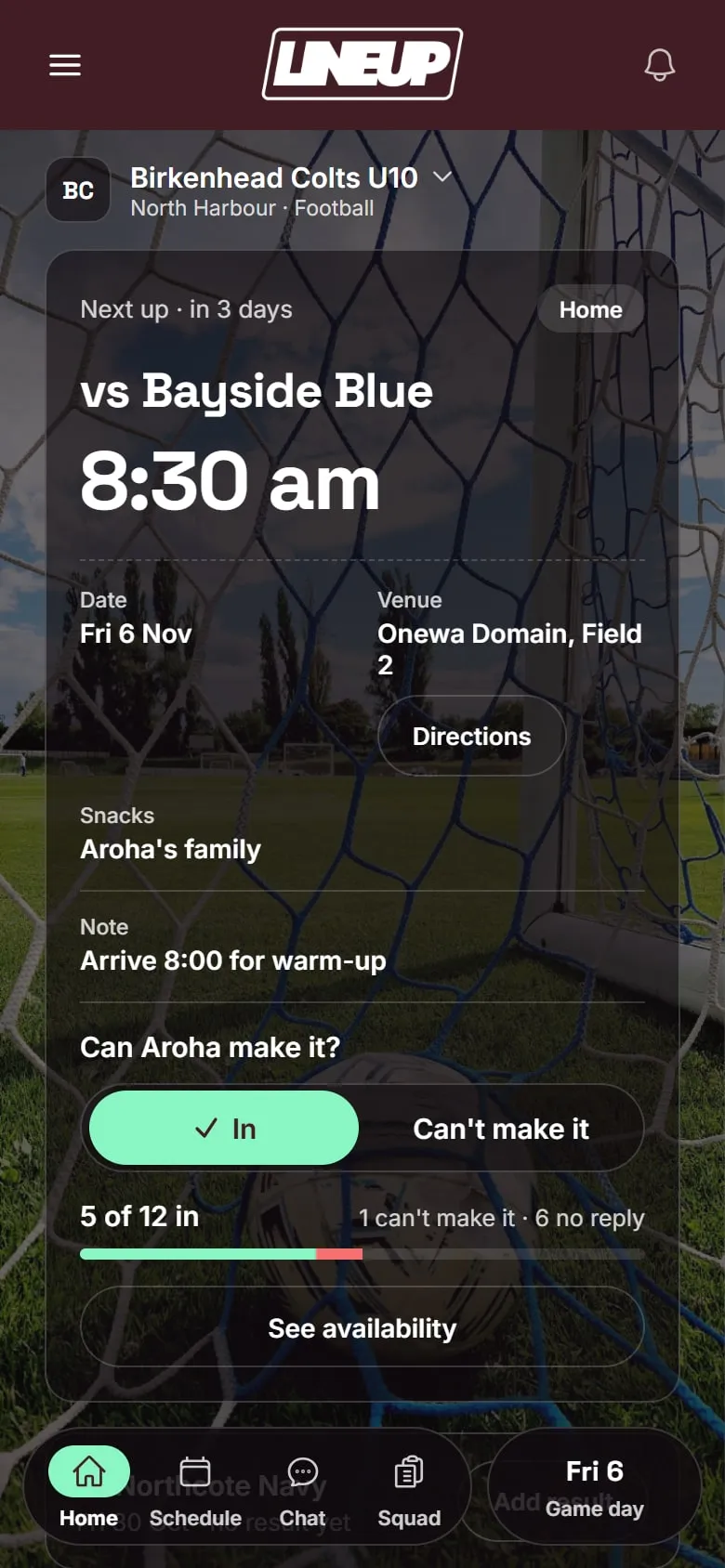
Before the game. Games and trainings go in once, with the ground and a map. Parents tap In or Can’t make it, and LineUp reminds anyone who has not answered the evening before. You see your eleven, or your nine, by Friday.
Setting up the game. Tap Start game day and LineUp asks for the toss, your eleven in batting order, and the opposition’s names as you know them (more can be added as they appear). Overs for the innings come from team settings.
Scoring. The live screen shows the score and overs, the two batters with the striker marked, the bowler, and a pad for each ball: 0 to 6 runs, wide, no ball, bye, leg bye, and a wicket button. LineUp rotates the strike on odd runs, swaps ends at the end of each over, and asks for the new batter or the new bowler when one is needed. One-tap wides, a quick runs picker for no balls, and Undo last ball for the one you got wrong. The scorecard is building the whole time; Show scorecard opens it mid-innings.
Innings and result. End the innings when the overs are up, the side is all out or the target is reached, and start the second with the other side’s batting order. At the end, LineUp works out the margin, and if the game is stopped early it is recorded as a No Result: played, but not a win or a loss.
After the game. The game’s page carries the full scorecard for both innings, player of the day if you pick one, and the result. Team Stats adds the season up: wins, losses, runs, top run scorers and top wicket takers.
For parents. One invite code, no account for the child, In or Can’t make it, and the scorecard on the game’s page afterwards.
How do the alternatives compare?
These are the apps junior cricket families in New Zealand and Australia are most likely to have on their phones. Three of them are the official layer, run by or for the governing bodies, and your association chooses them for you. The other two are the club tools most often used alongside them. The table describes what each says it does, as checked on the date shown.
| LineUp | PlayHQ | PlayCricket | Cricket Central | Stack Team App | Sporty | |
|---|---|---|---|---|---|---|
| What it is | A team app for junior sport | The official registration, competition and e-scoring platform | Cricket Australia’s community cricket app | New Zealand Cricket’s community cricket app | A club and team communication app | A club website and membership platform |
| Where it is used | New Zealand and Australia | Both: Cricket Australia and New Zealand Cricket | Australia | New Zealand | Clubs in both | Clubs in New Zealand |
| Who chooses it | The team manager | Your association | Comes with PlayHQ | Comes with PlayHQ | Your club or team | Your club |
| Fixtures and training | Games and weekly training for the team | Competition fixtures and ladders | Fixtures, results, ladders | Fixtures synced to your phone calendar; ladders | Club events | Club draws and results |
| Availability per game | In / Can’t make it, with a reminder the evening before | Players can mark themselves available, where the club uses it | Not confirmed | Not confirmed | Event RSVPs | Not confirmed |
| Ball-by-ball scoring | Yes, the team’s own book | Yes, the official e-scorer, in a browser, works offline | Shows live scores from PlayHQ | Shows live scoring from PlayHQ | No | A game-day scoring app; cricket ball-by-ball not confirmed |
| Feeds the official ladder | No | Yes | Shows the official data | Shows the official data | No | No |
| Team chat | No | Club emails and push notifications | Notifications | Club updates | Group and private chat | Coach and manager messages |
| Do children need accounts? | No | A parent’s account holds the children as dependants (Australia) | Uses the PlayHQ registration | Uses the PlayHQ registration | Members sign up by email | Club membership |
| Cost | Free to download today | Paid through registration fees: NZ$7.50 per player per season in New Zealand | Free app, funded through registration | Free app, funded through the NZ$7.50 technology fee | Free with ads; ad removal A$4.49 a year | Free plan; paid club packages |
Checked on 4 October 2026 against each platform’s own website, app store listing, or New Zealand Cricket and state association announcements.
PlayHQ is the platform both governing bodies run community cricket on. New Zealand Cricket moved to it for the 2022/23 season, replacing CricHQ, and the Australian state associations moved to it from MyCricket. It handles registration, draws, team line-ups and the official ball-by-ball e-scorer, and its results feed the ladders. If your association runs on it, and it almost certainly does, your official scores go there. It is built for the competition and the club, not for a manager’s Thursday-night chase or the team’s own week.
PlayCricket is Cricket Australia’s free app for community cricket and the one Australian club parents are pointed to for draws, live scores, scorecards and player stats, all drawn from PlayHQ. With a 4.7 rating from around 91,000 App Store ratings, it is the most widely used community cricket app in the country.
Cricket Central is New Zealand Cricket’s equivalent, launched for the 2025/26 season and published by PlayHQ. It shows live scores, fixtures that sync to your calendar, ladders and stats. It is newer, with a far smaller following than PlayCricket so far.
Stack Team App is an Australian club app, free and funded by ads, with events and RSVPs, group chat, news and payments. Cricket clubs use it for the club’s own communication. It does not score cricket.
Sporty is the New Zealand platform behind many club websites, memberships and registrations, with a mobile app and a team messaging tool. For cricket it is the club’s noticeboard, not the competition system: New Zealand Cricket’s competitions run on PlayHQ.
Setting up a cricket team in LineUp
Because cricket’s shape varies so much between grades, LineUp puts the three things that change into team settings so you set them once:
- Overs per innings. Anywhere from five to fifty. Most junior Saturday grades play 20; some Year 5 and 6 competitions play 16 or 25.
- Extras rule. Standard, where a wide or no ball is bowled again, or Junior, where it is not and every over is six balls regardless. Your association’s playing conditions will say which; when in doubt, ask the coach what the umpires actually do.
- Players. Eleven by default. A grade that plays nine-a-side simply picks nine on game day; the setting only changes how many LineUp expects.
Once those are set, every game inherits them, and each game freezes its rules at the start, so a mid-season change never rewrites a scorecard already in the book. Team colour and the club logo can be set at the same time; the app takes on your colours, which is a small thing that eight-year-olds care about a great deal.
Questions to ask before you choose
Whichever way you lean, these are the questions worth putting to any app before a season of eleven families depends on it.
- Who has to sign up? If every parent needs an account with a password before they can say yes to Saturday, some never will. LineUp needs one invite code and no account for the child.
- What does it cost later? A free plan that caps the roster at fifteen is tight for a cricket squad with fill-ins. Check the cap and what the paid tier costs per season, not per month.
- Who sees the scorecard? If the official scoring lives on the association’s platform, can your families actually open it, or does it sit behind a login they do not have? A scorecard on the team’s own game page is the thing children look for on Saturday afternoon.
- What happens when it rains? Cricket is the sport where this matters most. An app that counts an abandoned game as a loss, or makes you delete it to keep the record straight, will annoy you by November.
- Can two parents run it? Someone will be away. The season should not live on one phone.
Which should you pick?
For cricket the answer is usually two apps, and that is fine.
- PlayHQ is where the official result goes, and PlayCricket or Cricket Central is where families look it up. You do not get to choose them, and if your association requires the e-scorer, keep using it for the official book.
- For the team itself, the eleven families, the batting order, a scorebook that rotates the strike for you, the scorecard the kids pore over on the way home and a season of runs and wickets, LineUp is built for exactly that.
- If your club already runs Stack Team App or Sporty for its news and events, keep it for the club. They are the club’s noticeboard; they do not run a team’s game.
- If you run a club’s worth of cricket teams, tell us about your club.
How a team gets on LineUp is three steps. To see the scorebook in use from the toss to the result, read Scoring junior cricket ball by ball with LineUp’s scorebook, or browse everything about cricket.
Details about other apps were checked on 4 Oct 2026. Their features and prices change; check their own sites before you decide.
Questions people ask
- Is LineUp a full ball-by-ball cricket scorebook?
- Yes. You score every ball: runs, wides, no balls, byes, leg byes and wickets. LineUp rotates the strike, changes ends at the end of the over and builds the batting and bowling cards as you go. Standard or Junior rules decide whether wides and no balls are bowled again.
- What about a game that is rained off part way through?
- End the game and it is recorded as a No Result. It counts as played but stays out of your wins and losses, so a wet Saturday does not show up as a defeat.
- Does LineUp send scores to my association's competition?
- No. In both New Zealand and Australia the official competition runs on PlayHQ, and its e-scorer is what feeds the ladder, PlayCricket and Cricket Central. LineUp is the team's own book: the availability, the batting order, the scorecard your families can open, and the season's runs and wickets.
- Is LineUp free?
- LineUp is free to download today on iPhone and Android. No ads in the app, and children do not have accounts.
- Can parents see the scorecard?
- After the game, yes. The full scorecard sits on the game's page for everyone on the team, with the batting and bowling for both innings.