
Scoring junior cricket ball by ball with LineUp's scorebook
From the toss to the result: how LineUp's scorebook rotates the strike, changes ends, handles wides and no balls under Standard or Junior rules, and writes the scorecard.

LineUp’s scorebook turns the parent with the borrowed pencil into a parent with a phone. You enter each ball as it happens, runs, extras or a wicket, and LineUp does the bookkeeping: it rotates the strike on odd runs, changes ends at the end of the over, asks for the next batter or bowler when one is needed, and builds the batting and bowling cards as you go. At the end it works out the result, or records a No Result for the rained-off game, and the scorecard sits on the game’s page for every family on the team. This is how a 20-over junior game runs through it.
What does cricket game day look like in LineUp?
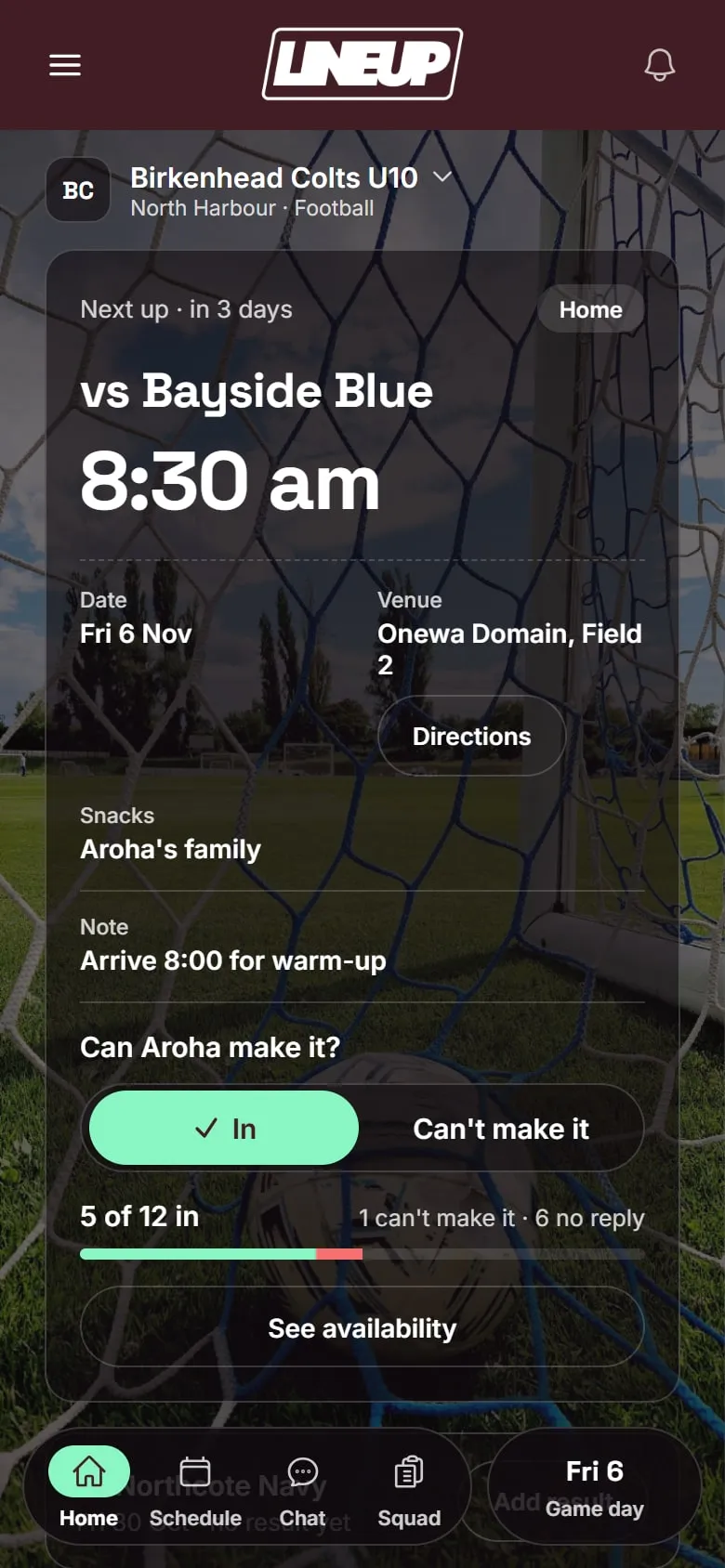
Three screens. The fixture, where the replies are. The setup screen, for the toss, your eleven in batting order and the opposition’s names. And the scorebook, which you will be looking at for most of the morning: the score and overs at the top, the two batters with the striker marked, the bowler, and a pad with a button for every kind of ball.
A Cricket team in LineUp defaults to eleven players and 20 overs an innings. Overs run from five to fifty in team settings, and scoring has a Standard or Junior rule for extras. The clock that other sports use stays off: cricket is timed by overs, not minutes.
Before the game
The fixture. The season’s games go in once, with the ground, a map and the start time. Weekly training repeats to the end of the season. Parents tap In or Can’t make it, and the evening before, LineUp reminds anyone who has not answered, so by Friday you know whether you have eleven.
Rules. In team settings, set the overs per innings for your grade and choose Standard or Junior extras. Under Junior, wides and no balls still cost the one-run penalty but are not bowled again, so every over is six balls. The rule is frozen for each game when it starts, so changing it mid-season never reshapes a game already in the book.
The toss and the order
Tap Start game day on the fixture. LineUp asks who batted first, then for your eleven for the day in batting order, numbered 1 to 11. It starts from your roster order: use the arrows to reorder, and mark anyone away who is not playing. Then it asks for the opposition’s names as far as you know them; you can add more as they come to the crease, and the name is only there so the scorecard reads properly.
Scoring an over
If your side is batting, LineUp asks who is on strike and who is at the other end, then for the bowler. The scorebook shows the score as runs for wickets, the overs bowled, and This over as a line of balls so far.
Runs. Tap 0 to 6 for what came off the bat. On 1, 3 or 5 the batters swap; LineUp moves the striker marker. A 7 is there for the all-run-with-overthrows ball that happens once a season.
Extras. Tap Wide and the one-run penalty is added. Under Standard rules the ball is bowled again; under Junior it counts as one of the six. Tap No ball and LineUp asks how many runs came off the bat as well, because a no ball hit for four is five. Bye and Leg bye ask for the runs the batters ran.
Wickets. Tap Wicket, then how: bowled, caught, lbw, run out, stumped or hit wicket. Caught and run out ask for the fielder; run out asks which batter, because it is the only way the non-striker can go. LineUp credits the bowler where the laws do and not where they don’t, then asks who comes in, with your batting order ready in the list.
End of the over. After six legal balls LineUp changes ends, swaps the strike, and asks for the next bowler. The previous bowler’s figures roll into the bowling card.
Mistakes. Undo last ball removes the last ball and puts the strike and the over count back. Swap ends is there if the umpires have done something the book did not expect.
A worked example: one over in the book
Say your side is batting, 3 for 41 after seven overs, Isla on strike and Tom at the other end, and a new bowler starts the eighth.
- Ball one. Isla pushes a single. Tap 1. The batters cross; the striker marker moves to Tom. Score 42, “This over” reads
1. - Ball two. Tom leaves it. Tap 0. A dot goes in the over line.
- Ball three. Down the leg side. Tap Wide. One run is added, 43, and the extra goes to the team’s extras rather than to Tom. Under Junior rules this counts as a ball of the over; under Standard, the over line shows the wide and still waits for six legal balls.
- Ball four. Tom drives for four. Tap 4. Score 47. Tom’s runs and balls faced tick up on the batting card.
- Ball five. Tom is caught at cover. Tap Wicket, choose Caught, pick the fielder from the opposition names, and the bowler is credited with the wicket. LineUp asks who comes in; Ava is next in your order, so tap her name. 4 for 47.
- Ball six. Ava blocks it. Tap 0. Six legal balls: LineUp swaps ends, the strike flips so Isla faces the new over from the other end, and it asks who bowls next.
If you realise after ball five that the catch was actually a bump ball and the umpire gave not out, tap Undo last ball: the wicket comes off, Tom is back at the crease and the bowler’s figures are restored. Then enter what really happened.
Fielding
When your side is in the field, the screen is the same, with the opposition batting and your players bowling. Pick the bowler from your eleven at the start of each over; LineUp will not let a batter bowl in the same innings and keeps each bowler’s overs, maidens, runs and wickets.
Innings break and the chase
When the overs are up, the side is all out or the target is reached, tap End innings. LineUp shows the innings total and asks for the second innings’ batting order. If you ended the innings by mistake, Reopen innings puts you back where you were. In the second innings the target is on screen, and the chase ticks down as runs are scored.
The result
When the second innings ends, LineUp works out the margin: won by so many runs, or by so many wickets with so many balls to spare. If your team picks a player of the day, choose them now, and the game lands on its own page with the full scorecard for both innings, batting and bowling, extras, the fall of wickets and the result.
If the rain comes, or the light goes, end the game instead. It is recorded as a No Result: played, but not a win or a loss, and kept out of the season’s form line, so a wet Saturday does not read as a defeat.
The season
Team Stats adds every game up for a cricket team: wins, losses and runs, the top run scorers and the top wicket takers. Every scorecard stays on its game’s page for the season, where the players can find their best score and their first wicket.
Tips from the boundary
Sit where you can see the umpire’s signals. Square of the wicket is traditional for a reason: you can see the wide and no-ball arms, and you can see which end the ball went to. The book is only as good as what you saw.
Enter the ball, then look up. The temptation with a phone is to keep looking at it. One tap per ball is all LineUp needs; the next delivery is more important than checking the card.
Agree on names before the first ball. Ask the opposition manager for their batting order, or at least their first three, so you are not typing a name while the ball is in the air. Anyone you missed can be added when they walk out.
Let the overs count be the truth. If you and the other side’s scorer disagree on the over count, compare the “This over” line with their book at the end of the over, not at the end of the innings. Small differences are easy to fix at the time and impossible an hour later.
Hand the phone over if you need to. Another parent who manages the team with you can open the same game on their own phone. If you have to leave for a sibling’s game across town, the book does not leave with you.
What the scorebook does not do
It does not send scores to your association’s competition. In New Zealand and Australia the competition runs on PlayHQ, and its e-scorer produces the official result and the ladder, and most junior sides have one parent doing that book as well. LineUp is the team’s own book: the availability, the batting order the coach wants, the scorecard the kids read on the way home, and the season’s runs and wickets in one place with the rest of the team’s year.
If you are still choosing an app, Best app for managing a junior cricket team in NZ and Australia lays out where LineUp, PlayHQ, PlayCricket, Cricket Central and the club apps each fit. How a team gets started is three steps. Everything about cricket is here, and if you look after a club’s worth of cricket teams, get in touch.
Questions people ask
- Does LineUp rotate the strike automatically?
- Yes. Odd runs swap the batters, and the end of each over swaps them back the other way. A Swap ends button is there for the rare case the umpire has done something the book did not expect.
- Can I correct a ball I entered wrongly?
- Tap Undo last ball. It takes the ball off the book and puts the strike and the over count back where they were. You can undo more than one.
- What is the difference between Standard and Junior rules?
- Both charge the one-run penalty for a wide or a no ball. Under Standard the ball is bowled again, as in senior cricket. Under Junior it is not, so every over is six balls, which is how most junior grades play. It is set once in team settings and frozen for each game at the start.
- What if the other side has fewer than eleven?
- LineUp assumes eleven batters for the opposition, so ten wickets. A short side is all out sooner, and you simply end the innings when it is.
- What happens if the game is rained off?
- End the game. It is recorded as a No Result: it counts as played, but it stays out of wins and losses and out of the form line.