
Best app for managing a junior tennis interclub team in NZ and Australia
Who's available this week, the ranked order and the tie sheet: how LineUp sits alongside MatchPoint, Match Centre, ClubSpark and the parents' WhatsApp group.

For a junior tennis interclub team, the best app is the one that gets every family to say whether their child is available this week, and then helps you run the tie itself: picking the four from a squad of six, putting them in ranked order, pairing the doubles and keeping the tie sheet as each rubber comes off court. In New Zealand and Australia, the official results already have a home: MatchPoint for New Zealand interclub and Match Centre for Tennis Australia’s competitions. LineUp is the team’s own tool for the week and for the tie, and it sits alongside those systems rather than replacing them. Here is how it compares with what tennis families are most likely to meet: MatchPoint, Match Centre, ClubSpark and the club’s WhatsApp group.
What do junior interclub managers actually need?
Most junior interclub teams are run by a parent manager or captain. The squad is often bigger than the team that plays each week, the tie may be at a club across town, and grades differ in how many play and how the sets are scored. A manager needs to:
- Get the draw to every family, with the club and the start time.
- Know who is available, because the week’s team is picked from whoever said yes, and a player short means a rubber nobody wins.
- Set the order. Results sheets want players in ranked order, and the singles and doubles follow from it.
- Keep the tie sheet: every rubber’s set scores, ready for whoever enters the official result.
- Keep the small traditions: player of the day, whose turn it is for the snacks, who drives.
Today that is often a run of messages to the other parents to pick each week’s team, then a paper sheet or the results app on the day.
How does LineUp handle tennis?
LineUp is a team app for volunteer managers and parents running junior teams, made by Bluprnt Limited in New Zealand. A Tennis team defaults to four players a tie, four singles and two doubles, with tiebreak sets. All of that is in team settings: 1 to 6 players, 0 to 6 singles, 0 to 3 doubles, and tiebreak sets, short sets to 4 or full sets. A team of two playing one singles and one doubles is a settings change.
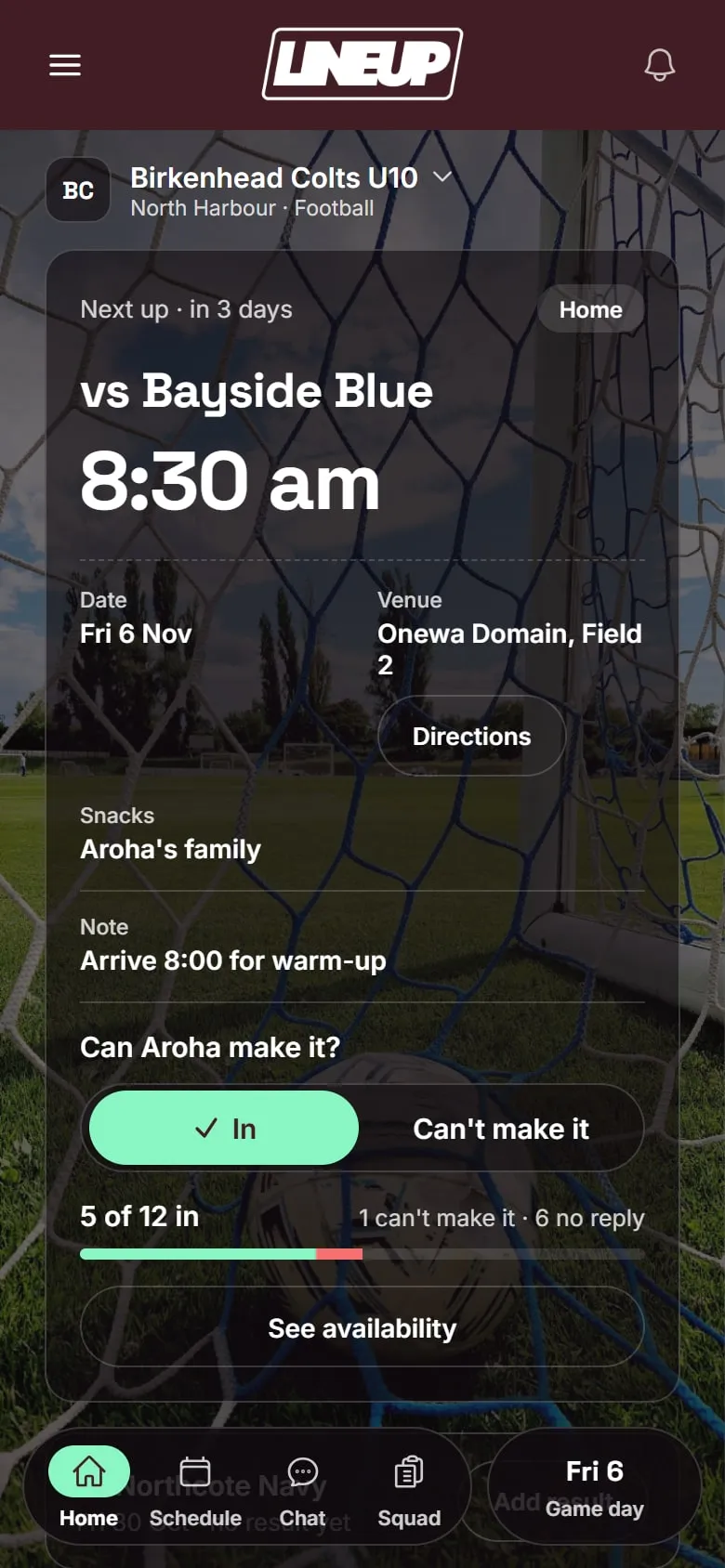
Before the tie. You add ties and trainings once, and weekly training repeats to the end of the season. Each tie has the venue with a map, and families can add it to their calendar. Parents tap In or Can’t make it for each tie. You see who is in, who can’t make it and who has not replied, and LineUp sends a reminder the evening before to anyone who has not answered.
The order and the rubbers. On the day you rank the players who are playing, strongest first, starting from each player’s usual ranking. LineUp lists the rubbers with the usual interclub pairings already in: Singles 1 to 4 down the order, Number 1 and 2 in Doubles 1, Number 3 and 4 in Doubles 2. Tap any rubber to change who plays it. If you name someone in two doubles, LineUp points it out.
The tie sheet. One row per rubber. Tap a rubber when it comes off court, step in the set scores, and save. LineUp checks the score is one that can happen in your format, so a mistyped 7-3 is caught before anyone copies it into the results system. The rubbers score sits at the top, with the sets and games each side has won.
After the tie. The result in rubbers won, the tie sheet, player of the day if your team uses it, and every player’s rubbers are saved to the season. The team’s season stats list each player’s rubbers won out of rubbers played, singles and doubles apart.
For families. Parents join with one invite code from you. Children do not have accounts; adults add the player names. One account can follow several children and teams. Set the team colour and logo and the app takes on your colours. There is no chat in the app, no ads and no tracking. How a team gets started takes three steps.
Which apps do junior tennis teams already use?
Tennis’s results systems are chosen by the national body and the regional associations, not the manager.
| Where you play | Draw and official results | Clubs |
|---|---|---|
| New Zealand | MatchPoint, which replaced MatchHub for interclub from the 2025/26 summer season. Waikato asks every team manager to record results in the MatchPoint app, and Western Bay of Plenty juniors enter results there too | ClubSpark, funded by Tennis NZ for clubs and its preferred membership system |
| Australia | Match Centre, Tennis Australia’s results front end for League Manager, in the browser. Victoria’s Associations Junior Pennant publishes its times there, and every player needs a Competitive Player Profile | ClubSpark and Book a Court, through club affiliation |
From Tennis NZ, Tennis Australia, Tennis Victoria and the regional associations’ own pages, checked on 11 October 2026.
Use these for what they are for: entering the official result, following the ladder and running the club.
How do the alternatives compare?
These are the two results systems above, the club platform most tennis clubs in both countries run on, and the messaging app many clubs use for their members. Where we could not confirm something, the table says so.
| LineUp | MatchPoint (NZ) | Match Centre (AU) | ClubSpark | ||
|---|---|---|---|---|---|
| What it is | A team app for junior sport | Tennis NZ’s interclub scoring and team management | Tennis Australia’s results front end for League Manager | A club platform: court booking, membership, website and member messages | A general messaging app |
| Where tennis uses it | New Zealand and Australia | New Zealand interclub, juniors included | Australian team competitions, juniors included | Clubs in both countries | Some clubs’ member groups |
| Who chooses it | The team manager | Tennis NZ and the regional association | Tennis Australia and the association | The club | The club or the parents |
| Availability per tie | In / Can’t make it, with a reminder the evening before | Not confirmed | Not confirmed for managers; competition administrators can manage team availability | Not confirmed | Ask in the group and count the replies |
| Order and pairings | Ranked order, usual singles and doubles pairings filled in, changeable per rubber | Line-up entered at the start of the fixture | Players entered in order with the score | No | No |
| Scoring during the tie | Set scores per rubber as it comes off court, checked against your format | Yes, best entered after each rubber | Scorecard entered after the match | No | No |
| Feeds official results | No | Yes: the home side finalises, the away side confirms, then the ladder updates | Yes | Not confirmed | No |
| Chat | No | Not confirmed | Not confirmed | Member messages, not team chat | Yes |
| Do children need accounts? | No; adults add player names | Only the scorer logs in; players are on the team list | Yes for Associations Junior Pennant, through a Competitive Player Profile | Not confirmed | 13 and over to use it alone |
| Cost | Free to download today | App free; team entry set by the association | Not confirmed; player fees set by the association | Funded through Tennis NZ or affiliation; online payment fees apply | Free |
Checked on 11 October 2026 against each app’s own website or App Store listing, and Tennis NZ, Tennis Auckland, Tennis Northern, Waikato Tennis, Tennis Western Bay of Plenty, Tennis Australia, Tennis Victoria and Tennis NSW pages.
MatchPoint replaced MatchHub for New Zealand interclub, with Tennis NZ saying MatchHub had reached the end of its lifespan. It uses the World Tennis Number as its ranking, and its free MatchPoint Scoring app is where the line-up and the scores go on the day: best practice is to enter each rubber as it finishes. The home side finalises the result and the away side confirms it before the ladder updates. Only the scorer needs a login. It is the official result, not the week before it: we could not confirm that it collects availability from families.
Match Centre is how Tennis Australia’s team competitions record results. It is the public front end of League Manager and works in the browser, not as an app. Captains or managers enter the scorecard after the match, with players in their correct order, and in Victoria’s Associations Junior Pennant every player needs a Competitive Player Profile. Competition administrators can manage team availability in League Manager; we could not confirm that a junior team’s manager uses it that way.
ClubSpark runs court booking, membership and club websites for many clubs in both countries. Tennis NZ funds it for New Zealand clubs and Tennis NSW clubs get it through affiliation. It handles the club’s members and messages, not a team’s tie.
WhatsApp is how a lot of tennis clubs and parents talk. We found clubs in both countries running member groups on it. It is good for a quick message and poor at keeping track of who said yes for Saturday, and it does not know what a rubber is.
We also looked for evidence of junior tennis teams in either country using Spond, TeamSnap, Stack Team App, Heja or the PlayHQ app, and did not find enough to include them. Some clubs use Sporty or HelloClub for membership, which Tennis NZ also approves.
Where LineUp fits
LineUp does not replace MatchPoint or Match Centre. It does not enter results in either, and it does not register players or keep a ranking.
What LineUp adds is the team’s own week and tie, whichever system your association uses: In or Can’t make it from every family, a ranked order with the usual pairings filled in, a tie sheet that checks every score, and the rubbers, player of the day and season record saved for the team. When the time comes to enter the official result, the tie sheet is already in front of you, in order.
If a club is thinking about one approach for every junior team it fields, we would like to hear about it.
Questions to ask before you choose
- Who has to sign up? If every parent needs a new account before they can reply, some never will. LineUp needs one invite code, and children do not have accounts.
- What does it cost each season? Ads, a roster cap or a paid tier are common. Check them against a squad of six.
- Does it know tennis? Ask what the app does with a 7-3 set or a match tiebreak. If the answer is “you can post a message”, the tie sheet will still be on paper.
- What does it collect about the children? Names on a tie sheet are one thing; accounts and group chats for primary-school players are another.
- Can two parents run it? Somebody will be away for a week. The team should not live on one phone.
Which should you pick?
- Enter the official result in whatever your association uses: MatchPoint in New Zealand, Match Centre in Australia. LineUp does not do that job.
- If your club runs ClubSpark for bookings and membership, keep it for that.
- If you want the week and the tie handled for your team, from who is available to the finished tie sheet, LineUp is built for that, and you can set it up yourself.
- If you look after several junior teams at a club, tell us about your club.
Whatever you choose, it only works if the families use it. That is why LineUp asks a parent for one invite code and a tap. See how it works.
For the tie itself, read How LineUp runs a junior tennis interclub tie, or see everything we have written about tennis.
Details about other apps were checked on 11 Oct 2026. Their features and prices change; check their own sites before you decide.
Questions people ask
- Does LineUp enter our result in MatchPoint or Match Centre?
- No. LineUp keeps the team's own record of the tie. The result entered in MatchPoint in New Zealand, or Match Centre in Australia, is the official one, and LineUp's tie sheet makes it quick to copy across.
- Is LineUp free?
- LineUp is free to download today on iPhone and Android. There are no ads and no tracking in the app, and children do not have accounts.
- Does LineUp work for teams of two?
- Yes. Players per tie runs from 1 to 6, with 0 to 6 singles and 0 to 3 doubles, so a team of two playing one singles and one doubles is a settings change.
- Which set formats does LineUp support?
- Tiebreak sets to 6, short sets to 4, each with a 10-point match tiebreak at one set each, and full sets, best of three to 6. Formats differ by association and grade, so check yours.
- Can two parents run the same team?
- Yes. Another parent can manage the team with you, so whoever drives to the away tie can fill in the tie sheet.